Best Computer Form Factors Explained What You Need to Know?
Understanding Computer Form factors is essential in today’s tech landscape. A computer's form factor refers to its size, shape, and physical layout. Each design serves specific needs, influencing everything from performance to aesthetics.
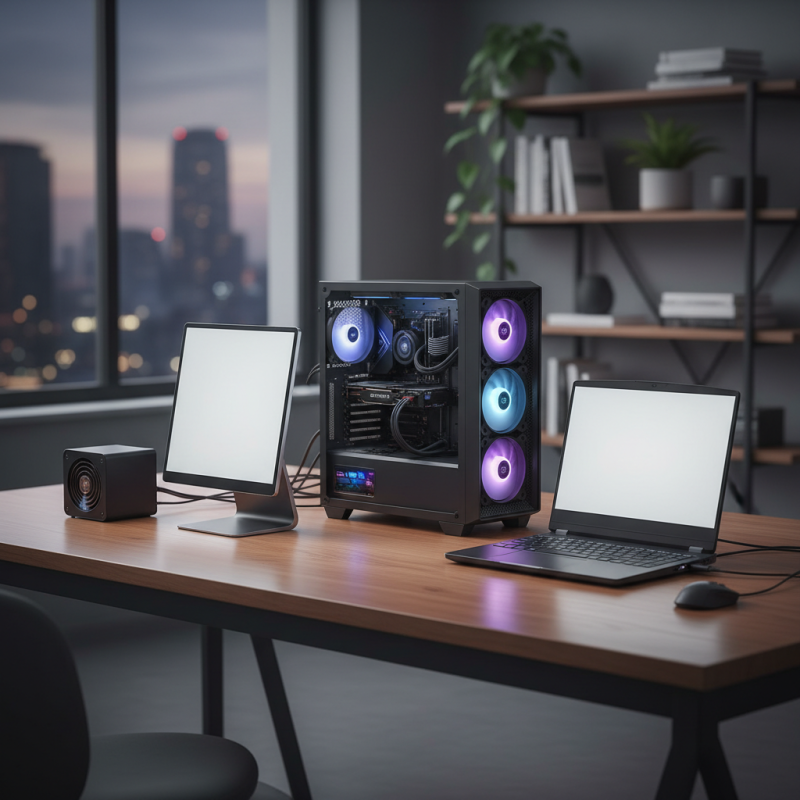
Today, computers come in various forms. Desktop towers, all-in-ones, laptops, and mini PCs are just a few examples. These variations cater to different users. For instance, gamers may prefer larger towers for improved cooling. In contrast, frequent travelers might opt for sleek laptops or compact devices.
Despite the evolution of computer design, challenges remain. Will your chosen form factor limit future upgrades? Does size compromise performance? Reflecting on these questions is crucial. A well-informed decision can greatly enhance your computing experience. Embrace the diversity of computer form and discover what fits your needs best.
Overview of Computer Form Factors and Their Importance
When discussing computer form factors, understanding their importance is key. Form factors define how hardware components fit within a system. This can significantly affect performance, cooling, and even aesthetics. A compact case may save space but can limit airflow and require specific components. Larger setups may offer better cooling, but they take up more room.
Tips: Consider the use of the computer. Will it be for gaming, design, or everyday tasks? This determines the best form factor for your needs.
Different types of form factors exist, such as ATX, MicroATX, and Mini-ITX. Each serves unique purposes. For instance, Mini-ITX is great for small builds, yet it has limitations on expansion. Balancing size and capability is crucial. Often, users rush into decisions. It can be helpful to map out your needs before finalizing a choice.
Tips: Research potential hardware compatibility with the chosen form factor. Some components might not fit well together or work efficiently in tight spaces. Consider future upgrades; a smaller case could restrict options.
Common Types of Computer Form Factors: Desktops, Laptops, and More
Computer form factors greatly influence user experience and device capabilities. Common types include desktops, laptops, and all-in-ones. A study by IDC reveals that in 2022, desktop PCs accounted for 33% of global PC shipments, while laptops made up 63%. This trend highlights the growing preference for portable computing.
Desktops often provide powerful performance. They allow for upgrades and larger screens. However, they lack portability. Laptops, in contrast, offer flexibility. With weights averaging 3-5 pounds, many users enjoy working from any location. Yet, battery life remains a concern. Some models only last for 4-6 hours under heavy use.
All-in-one computers combine power and space-saving designs. They have all internal components housed behind the display. This form factor appeals to users with limited desk space. However, upgrading can be complicated. Data suggests that 38% of users feel limited by fixed hardware in all-in-ones. Both laptops and desktops have distinct advantages and drawbacks. Users must assess their needs before making a choice. This decision often leads to introspection on what is truly necessary for their computing tasks.
Key Specifications and Dimensions for Each Form Factor
When choosing a computer form factor, several specifications matter. Each form factor comes with different dimensions, influencing space and performance. For instance, a desktop typically has larger dimensions compared to a mini PC. This allows for more powerful components within a desktop. But, mini PCs are more portable. They fit well in compact spaces.
Tower PCs are popular for their upgrade potential. They can house various hardware configurations. Meanwhile, all-in-one PCs integrate components into the monitor. This design saves space but can limit upgrades. Likewise, laptops offer portability with varying dimensions. Their compact size may result in less power for tasks like gaming or heavy processing.
Evaluating these specifications is crucial. Factor in your needs and workspace. Do you need power or portability? Some users might feel overwhelmed by choices. The right decision often comes from weighing pros and cons of each form factor. It's important to reflect on what works best for your daily tasks.
Best Computer Form Factors Explained
This chart illustrates the size comparison of various computer form factors measured in liters. As shown, Tower cases are significantly larger than laptops and ultrabooks, which cater to portability.
Market Trends: Sales Data and Consumer Preferences in Form Factors
The landscape of computer form factors is rapidly changing. Sales data shows that compact devices are gaining popularity. Consumers are leaning toward smaller, portable models. Laptops and tablets are often seen as more convenient. They bring flexibility and efficiency to daily tasks. However, traditional desktops still hold a strong market share. Many users appreciate their upgradability and raw computing power.
Tips: Assess your needs carefully before purchasing. Consider how often you travel. If you work from multiple locations, a portable device may be best. Conversely, for gaming or intensive tasks, a desktop is better suited.
Consumer preferences also reveal a shift toward all-in-one systems. These devices save space and simplify setup. Yet, they can be harder to upgrade. Some users feel restricted by this. It’s essential to weigh portability against performance. Take time to evaluate what matters most for your usage. Look at reviews to understand pros and cons. Reflect on your long-term needs as technology evolves.
Future Innovations in Computer Form Factors: What to Expect
In the world of technology, computer form factors are evolving rapidly. Innovations in design are changing how we interact with computers. Thin, lightweight devices are becoming common. Traditional desktops are adjusting to fit modern needs. Expect smaller yet more powerful devices in the near future.
One major trend is the rise of modular systems. These allow users to swap out parts easily. This flexibility can extend a device’s lifespan. However, not all users will embrace this change. Some may find it overwhelming or complex. For those users, focusing on all-in-one devices may offer simplicity.
Tips for navigating future form factors: Always consider your personal needs before choosing a device. Think about the types of tasks you'll perform. Compatibility with current software is crucial. As new designs enter the market, research user reviews. These insights are vital for making informed decisions. Stay open to change, yet reflect on whether new innovations truly enhance your experience.